Build the Smallest Version That Proves the Idea Works
An MVP is not a cheap app. It is a deliberately narrow one — the shortest path to real users doing the one thing your product exists to do. We scope it with you, quote a fixed price, and ship it in 8 to 16 weeks.
- Fixed price agreed before the build starts
- A working demo build every two weeks
- You own the repository from day one
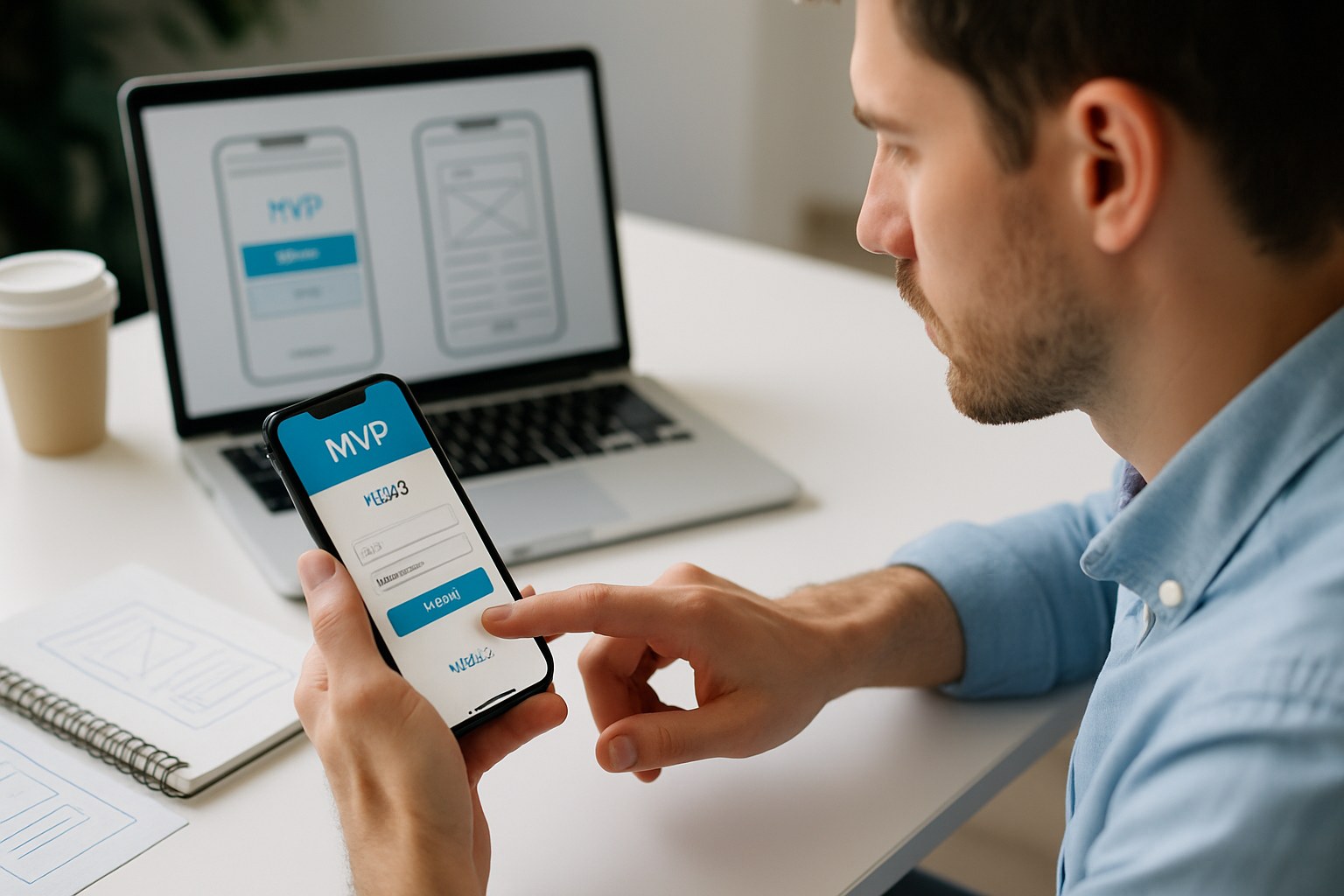
What an MVP Actually Is — and What It Is Not
The phrase gets used to mean two very different things, and the confusion costs people money. An MVP is not a discount version of your full product with the polish stripped out. It is a complete, finished, genuinely good experience of one narrow slice of your product — the slice that answers the question you cannot answer from a spreadsheet: will anyone actually use this?
The output of an MVP is not really software. It is evidence. Software is just how you get the evidence. That reframing is what makes scope decisions easy: if a feature does not change what you learn, it waits.
See how we run a buildAn MVP Is, and Is Not
Both columns describe things people call an MVP. Only one of them gets built in three months.
An MVP Is
- One type of user, doing one valuable thing, end to end
- Properly built — real accounts, real data, real payments if money changes hands
- Finished to a standard you are happy to put your name on
- Instrumented, so you can see what people actually do in it
- Architected so version two is an extension, not a rewrite
- Something a stranger can sign up for without you on the phone
An MVP Is Not
- A prototype or a clickable mock-up — nothing behind those is real
- A deliberately buggy or ugly app you plan to apologise for
- Your full roadmap with the timeline compressed
- A demo built only to show investors and never given to users
- A throwaway you expect to bin and rebuild from scratch
- Something with four user roles because you might need them later
Cutting Scope Is the Most Valuable Thing We Do
Writing the code is the predictable part. Deciding what not to write is where a project is won or lost.
Almost every idea arrives about three times bigger than its first version needs to be. Not because founders are unrealistic — because every feature on the list is genuinely useful, and it is very hard to argue against something useful. So we do not argue on usefulness. We argue on one question: does this change what you learn from the first release?
Nine times out of ten the honest answer for a given feature is no. Referral codes do not tell you whether people want the product. Neither does dark mode, a second language, an admin analytics dashboard, or supporting a user type you have not met yet. Those are all worth building — after somebody is using the thing.
Cutting is not the same as deleting. Everything that comes out of version one goes into a written backlog with a reason attached, so six weeks later nobody is asking why a feature disappeared. You can see the whole list at any time, and you decide what comes back first.
Does it change what you learn?
If the first release teaches you the same thing with or without the feature, it is not a version one feature.
Can a human do it manually for now?
Approving a listing, matching two users, sending a weekly digest — at ten users a person with an inbox beats three weeks of engineering.
Does it block the main path?
Anything a first user physically cannot get past — sign-up, the core action, payment if you charge — is in. Everything else is negotiable.
Is it expensive to add later?
A rare honest exception. Payments, multi-tenancy and permission models are much cheaper designed in now than retrofitted, even if the feature ships later.
What a Scope Cut Looks Like in Practice
An illustrative product — a marketplace for booking local tutors — taken from a founder wish list to a shippable first version.
The shortest complete path
- Parent sign-up with email and Apple or Google sign-in
- Search tutors by subject and ZIP code
- Tutor profile page with rate, subjects and availability
- Request a session, tutor accepts or declines
- Card payment taken on acceptance
- Email confirmations and reminders
- A plain admin panel where you add tutors and see every booking
Real, written down, not forgotten
- Tutors signing themselves up, with ID and background checks
- In-app messaging between parent and tutor
- Ratings and written reviews after a session
- Recurring weekly bookings and rescheduling
- Push notifications replacing some of the email
- Automated payouts to tutors on a schedule
Yours to call at quote stage
- A second mobile platform at launch instead of after
- Google and Apple calendar sync for confirmed sessions
- Promo codes and first-session discounts
- A public marketing site sharing the same design system
- Spanish alongside English from day one
Cut on purpose, with a reason
- Video lessons inside the app — a product of its own, and a video call link works today
- Algorithmic tutor matching — meaningless until there is data to match on
- A school and district accounts tier — a different customer, a different sale, a different product
- A tutor earnings dashboard with tax documents — needed at scale, not at twenty tutors
- An in-house chat system — version two, once we know people want to talk before booking
Illustrative example written to show how the cut is reasoned, not a description of a real client project. Your list will look different — the questions used to sort it will not.
How the Fixed Price Works, Honestly
A fixed price is only meaningful if the scope it covers is written down in enough detail to argue about.
1. A scope document, not a sales deck
Every screen listed, every user role named, every integration identified, and an explicit list of what is excluded. If it is not in that document, it is not in the price — which is exactly why we spend real time on it before quoting.
2. One number, milestone payments
You get a single figure for the whole MVP, split across milestones tied to delivery rather than to the calendar. If the work takes us longer than we estimated, that is our problem, not a change to your invoice.
3. The parts nobody quotes
Third-party costs are yours and we name them up front: developer program fees, cloud hosting, SMS and email providers, payment processing percentages, any paid API. We do not mark them up and we do not hide them in the total.
When the scope changes mid-build — and it usually does
Halfway through a build you will see something in a demo and want it different. That is the process working, not failing. Here is the exact path a change takes, and note that nothing is built and nothing is billed until you have said yes in writing.
The swap option is the one people use most. A feature of roughly equal size coming out means the one going in costs nothing, and the delivery date holds.
What Eight to Sixteen Weeks Actually Looks Like
Week numbers below are for a typical single-platform MVP. A wider product shifts the build weeks, not the shape.
Weeks 1–2 — Scope and definition
Two or three working sessions to pull the idea apart: who the first user is, what single job the app does for them, which features survive the cut. You leave with a written scope document, a feature list split into version one and the backlog, and a fixed price. Nothing is designed or built yet.
Weeks 2–4 — Design and clickable prototype
User flows first, then screens, then a prototype you can tap through on your own phone. This is the cheapest point in the whole project to change your mind, so we push hard for real feedback here. Production code starts only after you sign off on the prototype.
Weeks 4–12 — Build in two-week sprints
Backend and data model first, then screens against real data rather than mock-ups. At the end of every sprint you get a build you can install and use, a written summary of what moved, and a short call in your morning to go through it. Every working day ends with a written update.
Weeks 10–13 — Testing and beta
Functional testing on a real device matrix, not just a simulator. Then TestFlight or a Play internal testing track goes out to your beta group so a handful of real people hit the app before the public does. Bugs get triaged with you into must-fix and can-wait.
Weeks 12–14 — Store submission
Store listing copy, screenshots for every required device size, privacy labels and data safety disclosures, age rating, and the review itself. We submit and handle any rejection correspondence. First reviews are often fast, but we plan for a rejection cycle so a surprise does not move your launch date.
Weeks 14–16 — Launch and the first weeks live
Monitoring and crash reporting on from day one, because the first real week always finds something the test matrix did not. We watch it with you, ship fixes quickly, and then decide together whether the next step is a maintenance retainer or a version two build.
What You Have on the Last Day
Not just an app in a store. Everything needed for somebody else to pick the project up without calling us.
The live app
Published under your developer accounts, on the platforms agreed in scope, with the listing, screenshots and privacy disclosures completed.
The full source code
In a repository you own, with readable commit history. Not a zip file emailed on the final day — you have had access since week one.
Infrastructure in your name
Cloud project, database, storage, domain and third-party service accounts all owned by you, with the billing attached to your card, not ours.
Technical documentation
Architecture overview, data model, environment variables, how to build and release it, and where every external service is configured.
Design files and system
The editable design source, the component library and the prototype. Any designer you hire later starts from what exists rather than guessing.
Analytics and crash reporting
Wired in before launch, with the key events named during scoping — so the evidence the MVP exists to produce is actually being collected.
Are You Ready to Build Yet?
Some people who call us should be writing code next month. Some should spend four more weeks on the phone to customers first, and we will say so.
Signs you are ready
- You can name the specific person who has the problem, not a demographic
- You have talked to at least a handful of them recently and can quote what they said
- You can describe the app in one sentence without the word “platform”
- You know what you want to learn from the first release
- The budget exists now — not subject to a raise that has not closed
- Somebody on your side can make decisions within a day or two
Signs to wait a little longer
- The idea only works if a large number of people join on day one, and you have no way to reach them
- Every feature is essential and you cannot rank them
- You are building it to show investors rather than users
- The business model depends on a partner or licence you have not signed
- A spreadsheet, a form and a group chat would answer the same question this month
- The full budget goes into the build with nothing left to get anyone to use it
If you are in the right-hand column, say so on the estimate call. We would rather tell you to come back in two months than take a budget that was never going to produce a useful answer.
Where Projects Go Next
Design & Prototyping
The design phase that runs before any MVP build, and what signing off on a prototype commits you to.
Learn moreMobile App Development
Native or cross-platform, store submission, and everything that changes once you are live in a store.
Learn moreMaintenance & Support
OS updates, store policy changes, bug fixes and the next set of features, on a monthly retainer.
Learn moreMVP Questions We Get Asked
What is the difference between an MVP and a prototype?
A prototype is a clickable mock-up. Nothing behind it is real: no database, no payments, no accounts. It exists to test whether people understand the idea and can find their way around it. An MVP is working software with a real backend that real people can sign up for, use and pay for. We normally build the prototype first, because changing a screen in design takes minutes and changing it in production code takes days.
How much does an MVP cost?
Most of the fixed-price MVPs we quote land between roughly $15,000 and $45,000. The number is driven by how many platforms you need, how many distinct screens the app has, and whether it needs payments, real-time updates, an admin panel or third-party integrations. The cost calculator gives you an indicative range in about a minute, and we confirm a firm figure in writing after a scoping call.
What happens if I want to change the scope halfway through?
You raise it, we price it in writing as a change request, and nothing gets built until you approve it. If the change is roughly the same size as something already in scope, you can swap it in at no extra cost. If it is genuinely additional work, you get a fixed price and a revised delivery date before you decide. What we do not do is absorb it quietly and hand you a surprise invoice at the end.
How long does an MVP take to build?
Eight to sixteen weeks from kickoff to store submission for most products. Two to three of those weeks are scoping and design, before a line of production code is written. After that you get a working demo build every two weeks, so you are never waiting until the end to find out where the project stands.
Do I own the code and the accounts?
Yes, from the first commit. The repository, the cloud accounts and the store listings are created in your name, and full intellectual property transfers to you on final payment. If you decide to take the next phase somewhere else, you leave with the code, the credentials and the documentation, and there is nothing for us to hold back.
Is my idea too small to be worth building?
Almost certainly not. The far more common problem is the opposite: a first version with four types of user and a dozen features that would take a year to build. If your idea can be described as one kind of person doing one useful thing, that is a strong starting point rather than a thin one.
Should I launch on iOS and Android at the same time?
For a first version, usually not. One platform means one set of store rules, one set of test devices and a shorter build, which gets you real feedback sooner. If you genuinely need both from day one, a cross-platform build shares most of the code rather than doubling it. We walk through that trade-off on the mobile app development page.
Tell Us the Idea. We Will Tell You the Smallest Version of It.
Send over what you have — a paragraph, a deck, a spreadsheet of features. You get a written scope suggestion and a realistic budget range back within two business days.